
How to start TikTok and Instagram instances
On TikTok and Instagram, everything you start from the channel page is an instance: one service, one amount, one target. Followers go to the profile. Likes, views, comments and saves go to one post, Reel or video, so you paste its link. The steps below use a TikTok account first, then show where Instagram differs.
Open the TikTok channel page
On the dashboard, press the eye on a TikTok card. A channel with no instances yet shows this screen next to a phone-style preview of the profile.
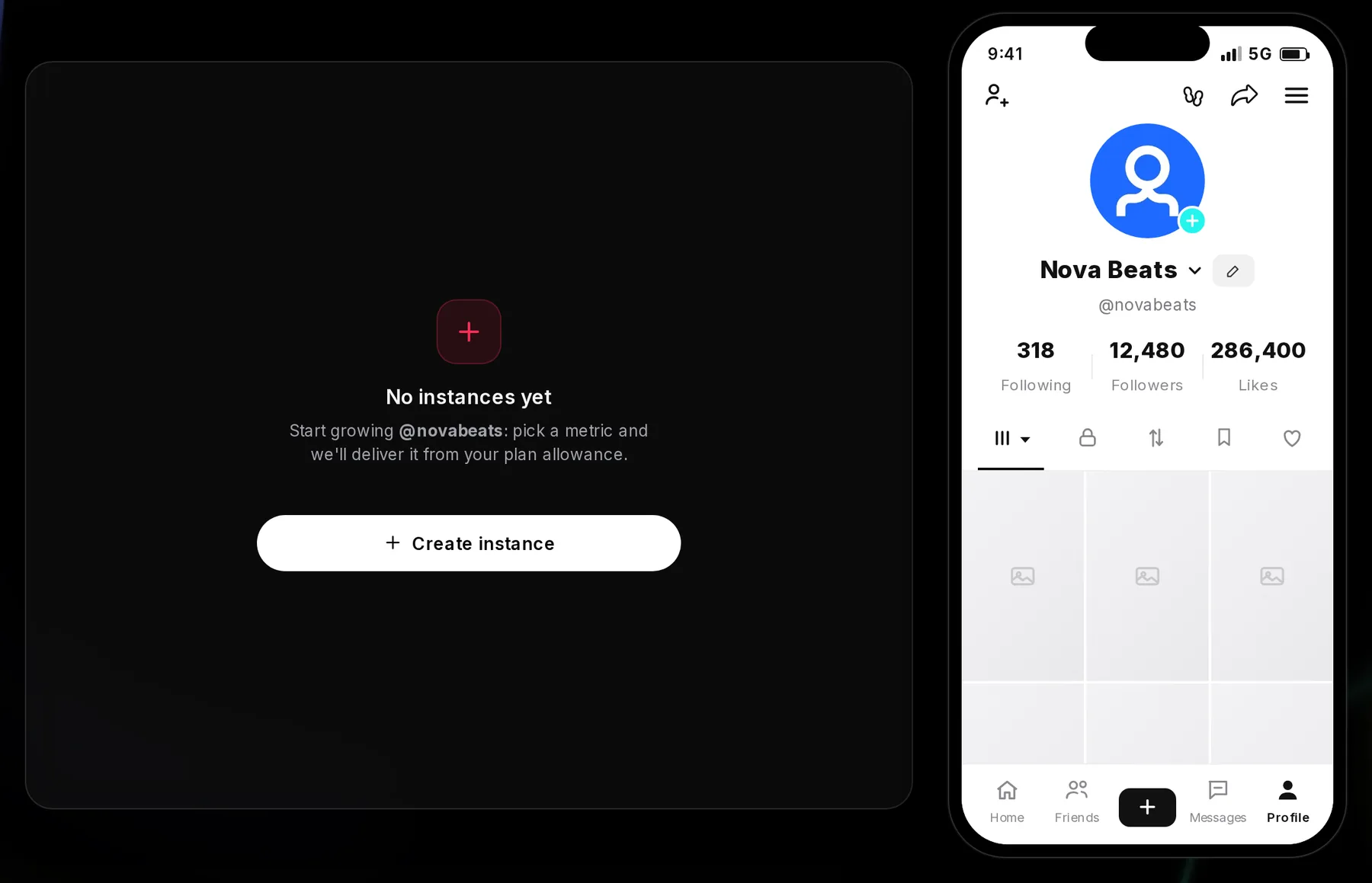
- Create instance: opens the form
- Profile preview: the counts are refreshed every couple of days, not live
Press Create instance. The form opens on Followers.
Pick a TikTok service and see what’s left
Open the service picker at the top of the form. Each line shows what’s left of that metric in your plan this period, shared across all your TikTok accounts.
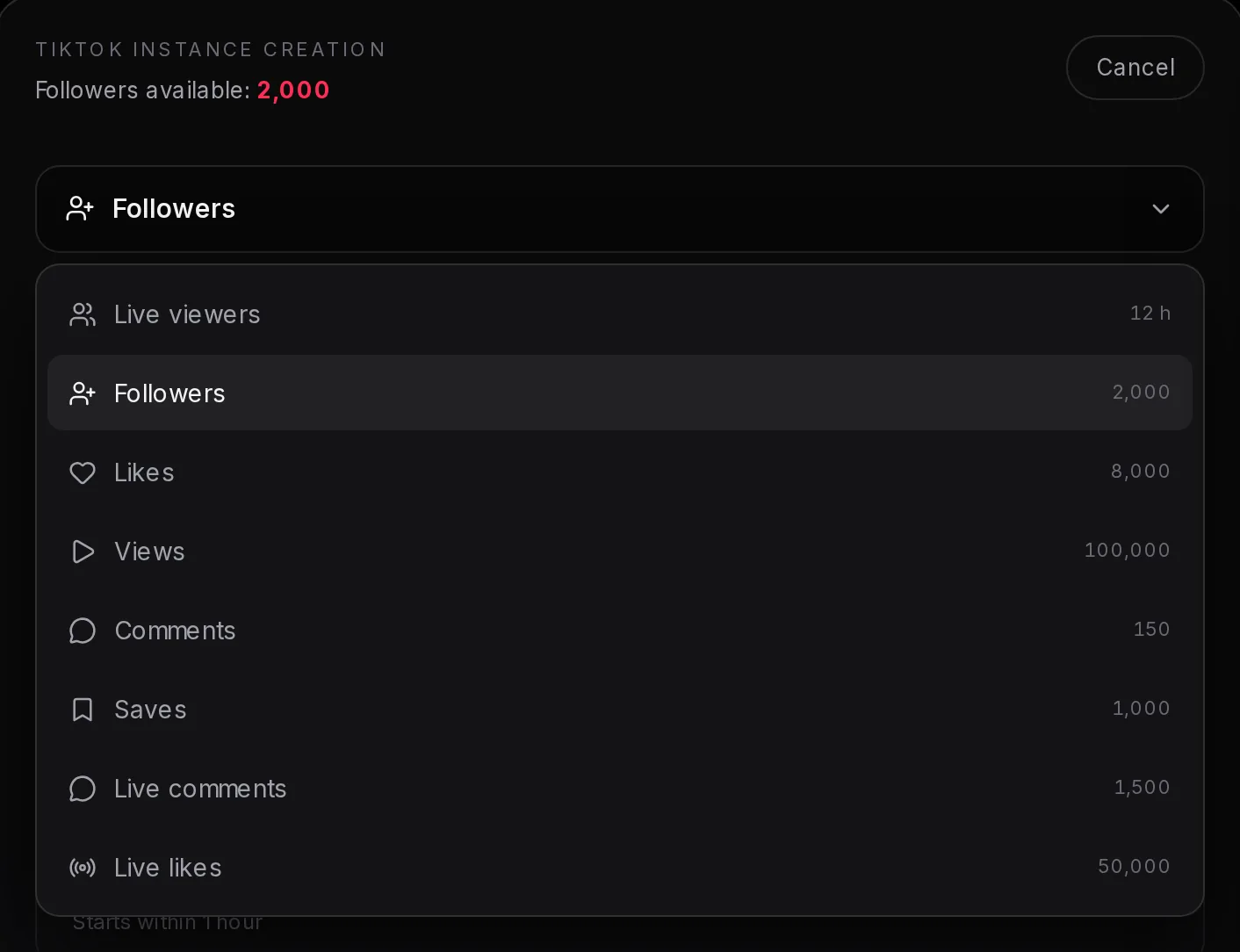
- Service picker
- A service
- What’s left of it this period
| Service | Target | Starts | Pace |
|---|---|---|---|
| Live viewers | Your live stream | Within 30 minutes | 1 to 4 hours per boost |
| Followers | Your profile | Within 1 hour | Up to 5,000 a day |
| Likes | Post link | Within 3 hours | Up to 5,000 a day |
| Views | Post link | Within 15 minutes | Up to 100,000 a day |
| Comments | Post link | Within 30 minutes | Up to 1,000 a day |
| Saves | Post link | Within 1 hour | Up to 2,000 a day |
Counts can drop after delivery, and what drops isn’t sent again. TikTok comments are short, positive and picked at random, and you can’t write your own. Followers need the account to stay public while they arrive. The form for followers is shown step by step in getting started.
Live viewers only work while you are streaming. They are delivered to your live page, so the dashboard checks that you are on air and refuses to start if you are not: better a refusal than viewers sent into a stream that has ended. Ending your stream early ends the boost, and the length cannot be extended once it has started.
Your plan gives you a number of viewers at once and a number of hours: 12 hours a week on every weekly plan, 48 hours a month on the monthly ones. Pick how many viewers and how long they stay, from one to four hours, and the form shows what the boost uses before you start. Running fewer viewers than your plan allows makes the hours last longer: on Elite, 50 viewers for 2 hours uses a third of an hour.
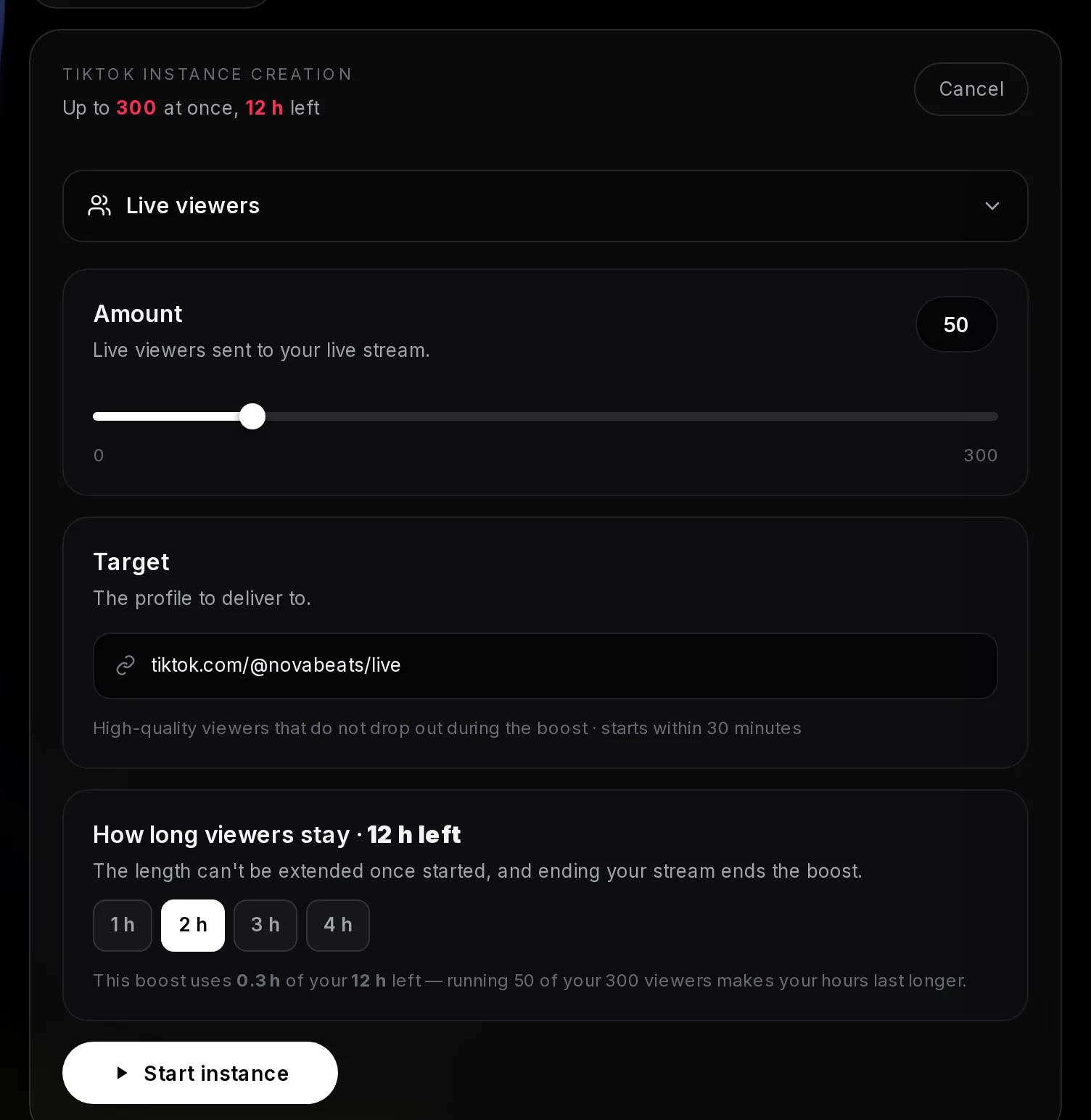
- What your plan allows: viewers at once and hours left
- Service: Live viewers
- How long they stay: 1 to 4 hours
- Delivery note for live viewers
- Start instance
Live comments and live likes also need you to be on air. For live comments, switch off Filter comments first: in your LIVE settings, open Comment settings, then Filter comments, and untick the filters. With them on, TikTok hides these comments and your viewers only see a notice that some comments were filtered.
Send likes, views, comments or saves to one TikTok post
- In the TikTok app, open the video, tap Share, then Copy link.
- In the form, pick the service, for example Likes, and set the amount.
- Paste the link into the Target field, where it says “Paste the post / video link”.
- Read the delivery note under the link, then press Start instance.
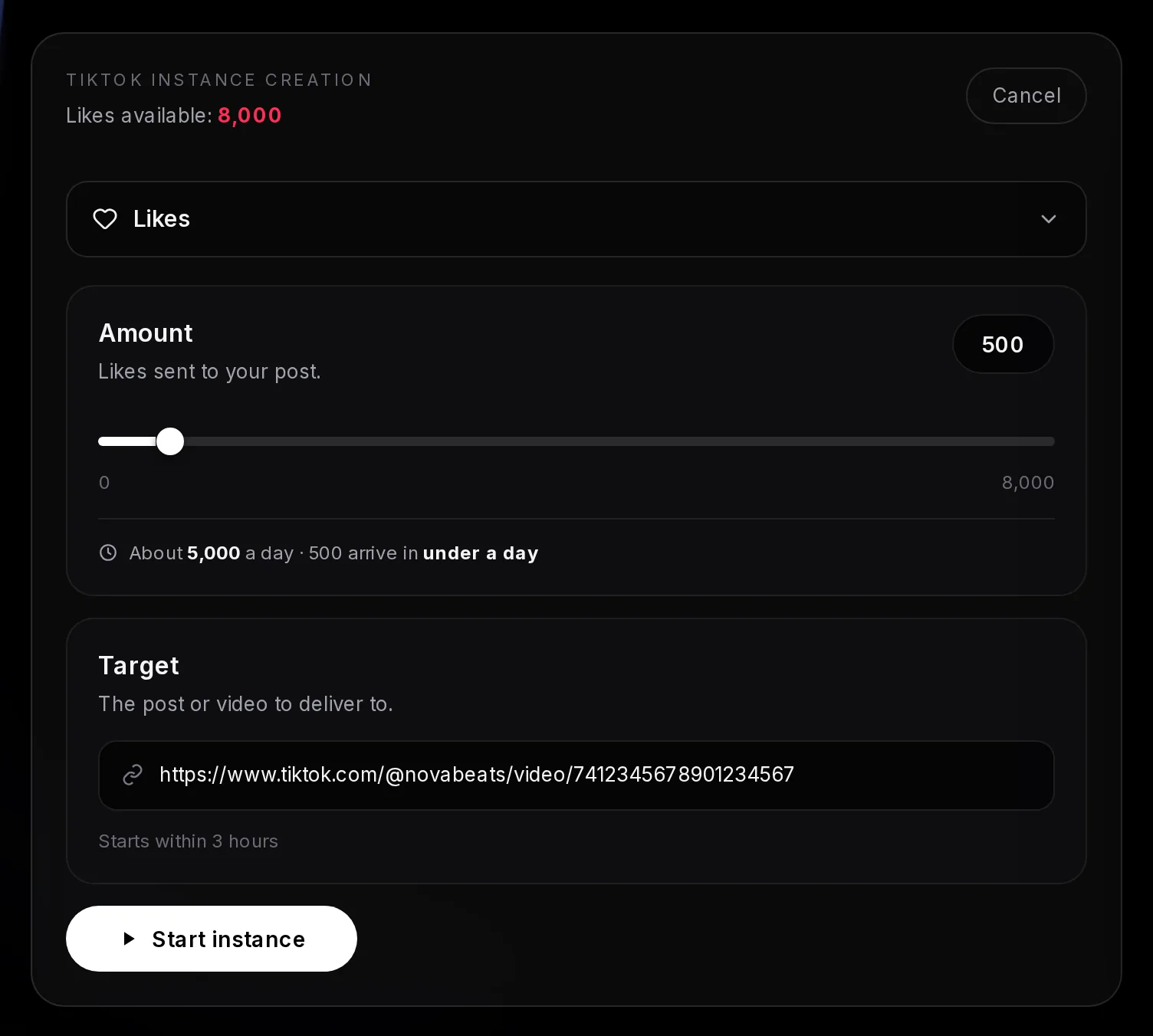
- Service: Likes
- The post or video link you pasted
- Delivery note: the start time for this service
- Start instance
Start instance stays grey until there’s a link in the field. Check it before you press, because the likes go to exactly the link you pasted.
Say a 2,000-follower baking account posts a sourdough video at 7 pm and wants it to look active that evening. Start 300 TikTok likes on it right after posting: likes begin within 1 hour, and 300 is a small slice of the 5,000-a-day pace. Every video is started this way: it takes a few seconds once the link is in your clipboard.
Instagram instances: the same form, with a few differences
An Instagram channel page works the same way: Create instance, pick a service, set the amount, check the target, press Start instance. The preview beside the form shows the profile’s posts, followers and following, its name, category and bio.
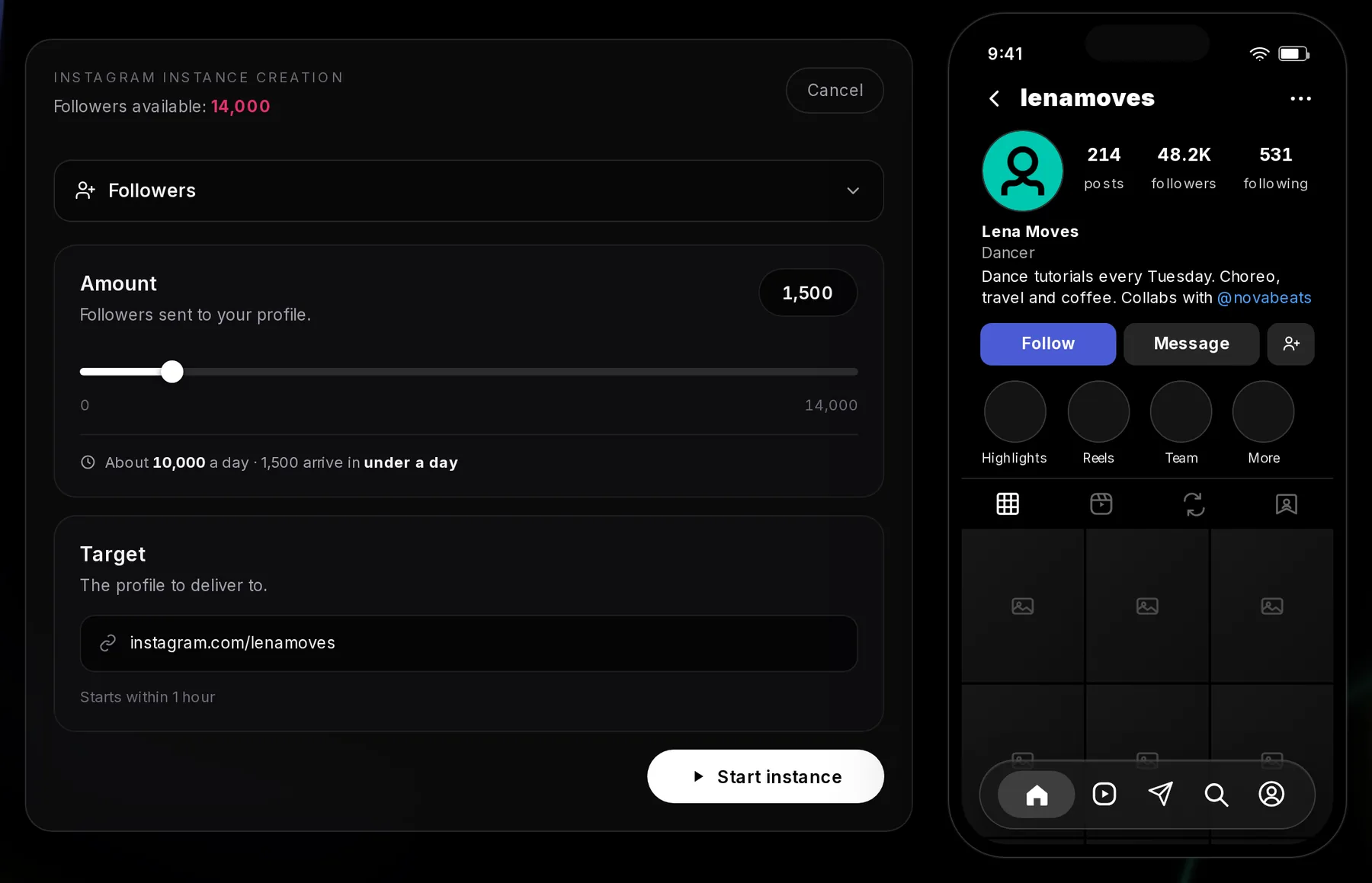
- What’s left of this metric in your plan
- Service picker
- Amount
- Target: the profile, since followers go to it
- Start instance
- Profile preview: posts, followers, following, name and bio
- Followers: turn off “Flag for review” first (Settings → Follow and invite friends), or Instagram holds the new follows for your approval. The smallest amount you can start is 100.
- Comments: short, positive English comments picked at random, at up to 300 a day, from 10 at a time. You can’t write your own text. They usually start within 1 hour but can take 10 hours or more on busy days. A very large amount can finish as Ended early, and whatever wasn’t delivered goes back to your allowance.
- Not offered: Instagram saves, and comments with your own text.
- Nothing starts by itself: you start every instance by hand, which is what keeps the amount per post in your control.
Views on an Instagram Reel
Reel views work on Reels and video posts. Copy the Reel’s link in Instagram (the paper plane, then Copy link) and paste it as the target.
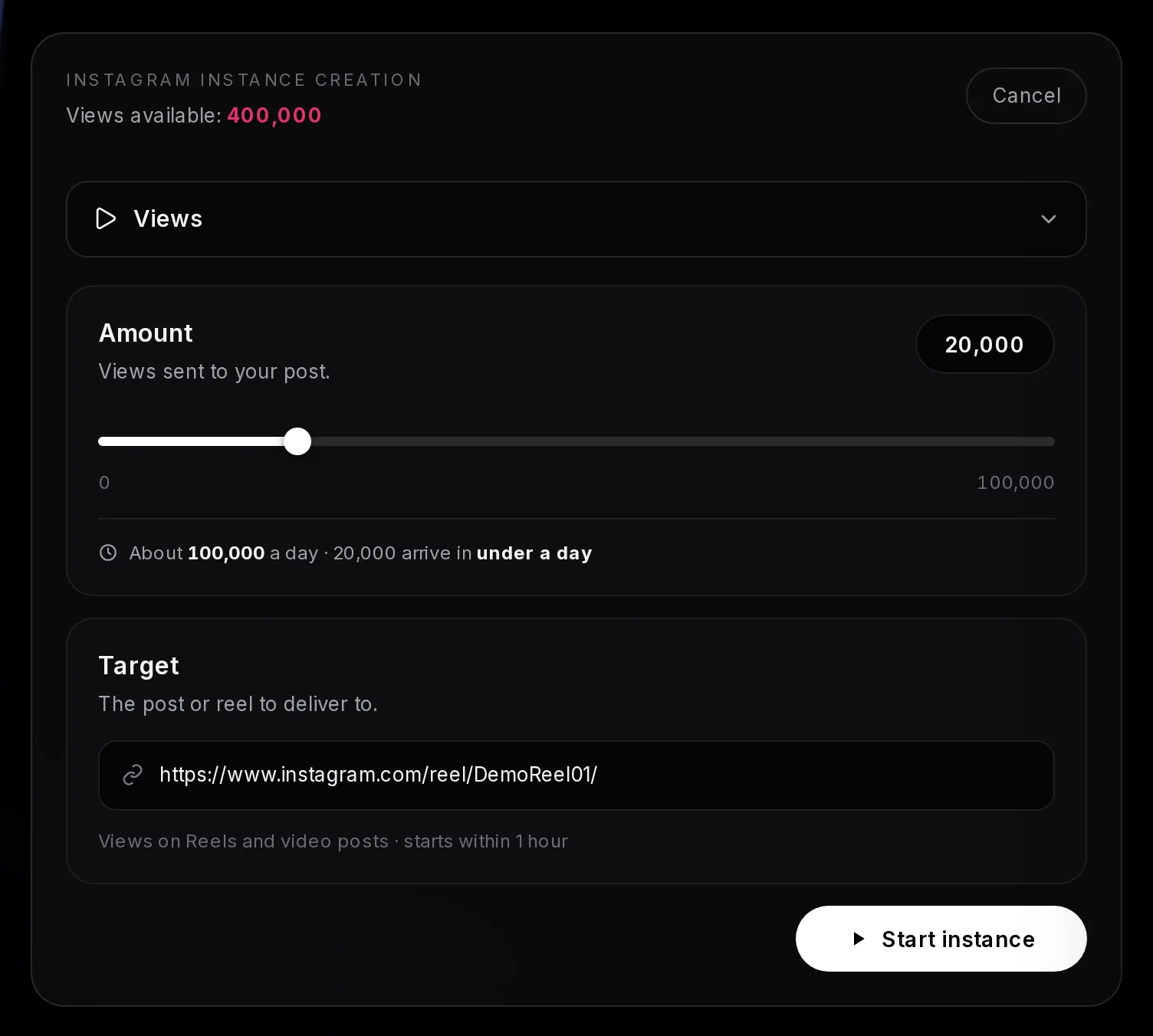
- Service: Views
- Pace and how long 20,000 takes
- The Reel or post link
- Delivery note: the start time
Views start within 1 hour and run at up to 100,000 a day, so 20,000 lands in under a day. Views Instagram filters out later stay gone. More detail is on the Instagram Reel views page.
Instagram services at a glance
| Service | Starts | Pace |
|---|---|---|
| Followers | Within 1 hour | Up to 10,000 a day |
| Likes | Within 3 hours | Up to 10,000 a day |
| Reel views | Within 1 hour | Up to 100,000 a day |
| Comments | Within 1 hour (10+ hours on busy days) | Up to 300 a day |
| Story views | Within 15 minutes | Up to 15,000 a day, on every live story |
| Reel shares | Within 15 minutes | Up to 10,000 a day |
Story views need no link. They go to every story that is live on the profile when you press Start instance, and each live story gets the amount, so post your story first. Only you can see how many people viewed a story; visitors never see the count. Reel shares take the link of a Reel, and Instagram updates the share count a few hours after they arrive.
The channel page lists each instance with its status and progress. For its first minute a new instance counts down (“Starting in 0:45”) with a Stop button, and stopping then returns the full amount to your allowance. After that minute it runs to the end. Each status is explained in the dashboard and instances guide.